All the lights in the auditorium are controlled by this panel
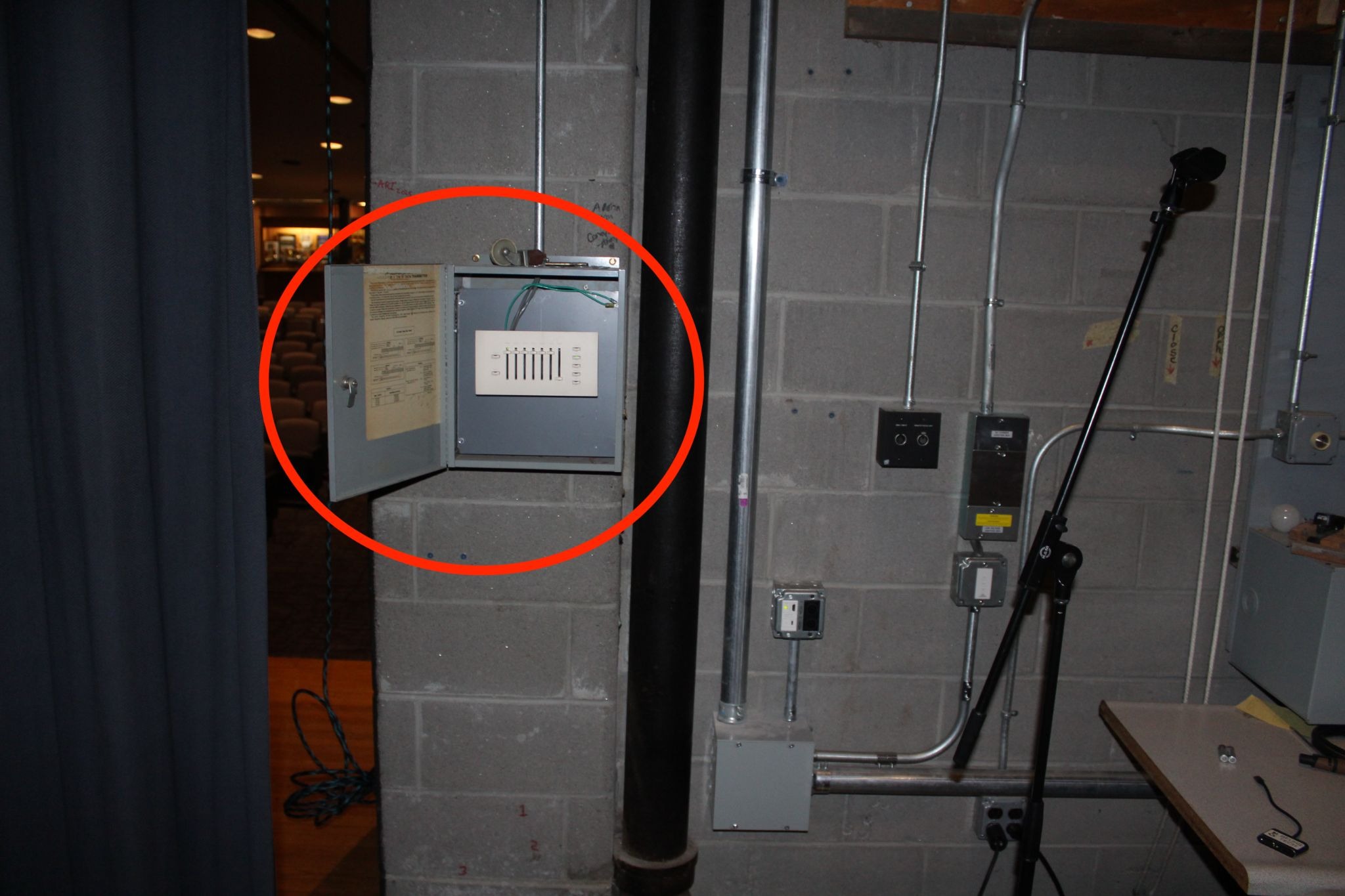
You can change zones individually with the zone sliders, or all at once with the master slider
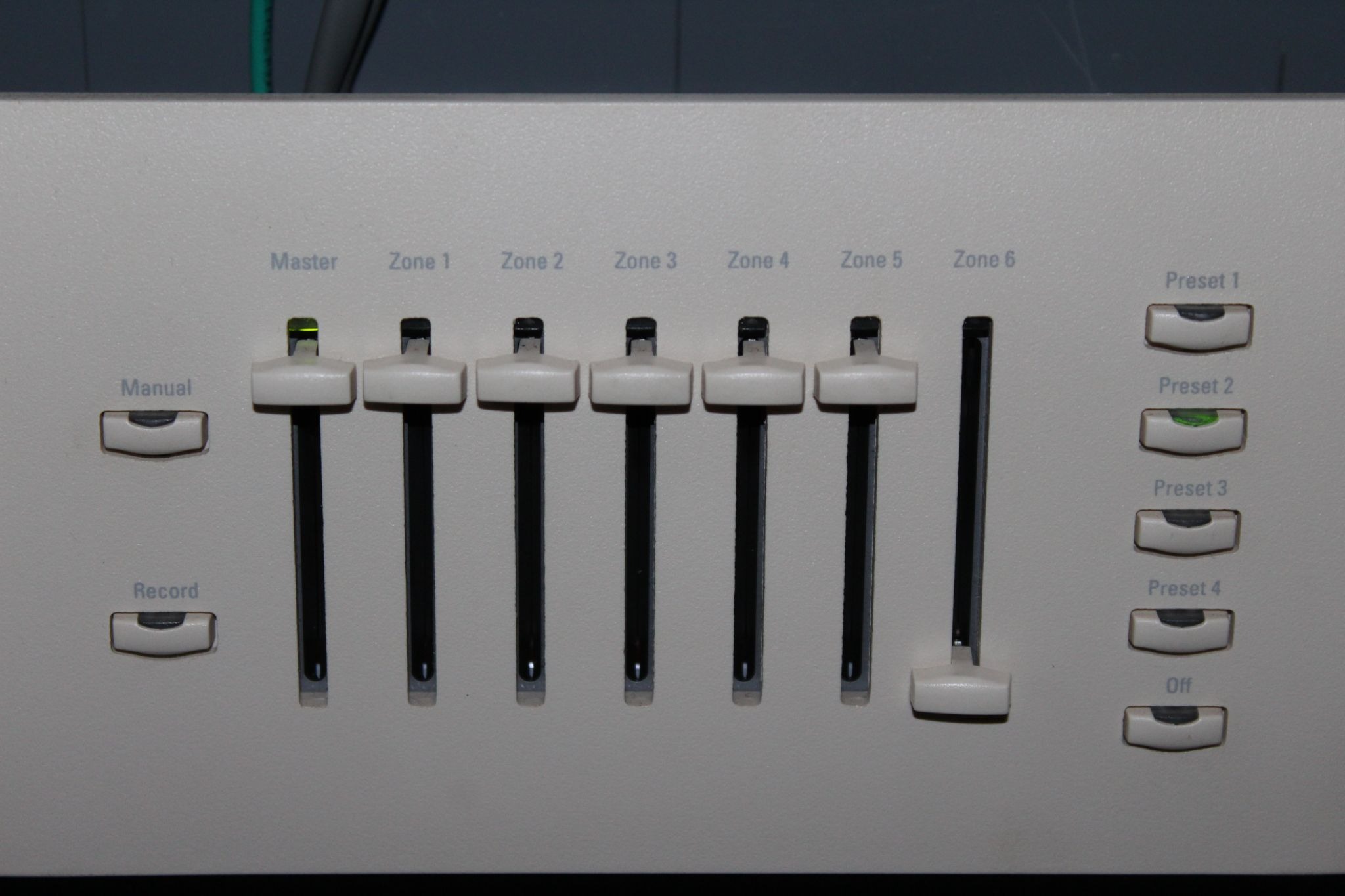
Each zone controls different sections of lights in the auditorium. Zones 1-4 control ceiling lights in order starting from the stage
Zone 1 controls lights above the front seating
Zone 2 and 3 control the middle and back seat lighting
Zone 4 controls the lights of the hallway behind seating
Zone 5 is not used
Zone 6 controls the lights pointed directly at the stage
90% of the time manual mode will be fine, though you can use the presets. The presets are different brightness settings for all of the seating lights and the hallway (not zone 6/stage)
The record button is for making new presets, please do not change the set ones.
Off preset turns every light off, instead of this button you can use preset 1 or manual mode and turn lights up when finished presenting so people can see on their way out (zone 6 is good to turn off at that point).
Was this article helpful?
That’s Great!
Thank you for your feedback
Sorry! We couldn't be helpful
Thank you for your feedback
Feedback sent
We appreciate your effort and will try to fix the article