Make sure you have either:
-An adapter + HDMI cord
-If you don't have an adapter you can come to the tech office and request a cable to connect to the projector
To turn on the system you need to tap the display in the middle of the black audio cabinet to wake it, then press power on. Do not touch the top or bottom sections of the audio cabinet, everything is handled from the one screen.
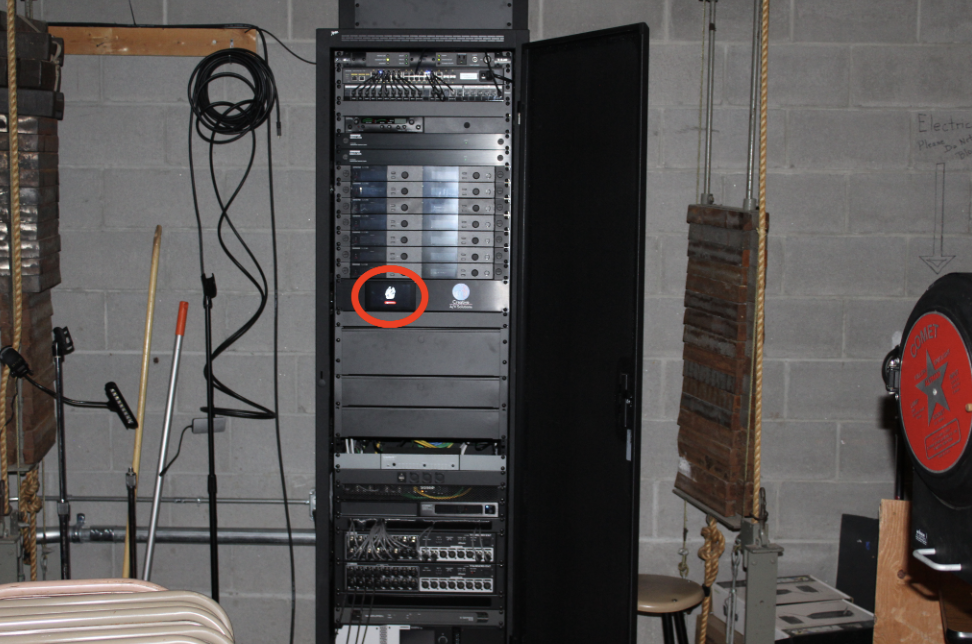
The entire system takes 2-3 minutes to power on fully (please be patient)
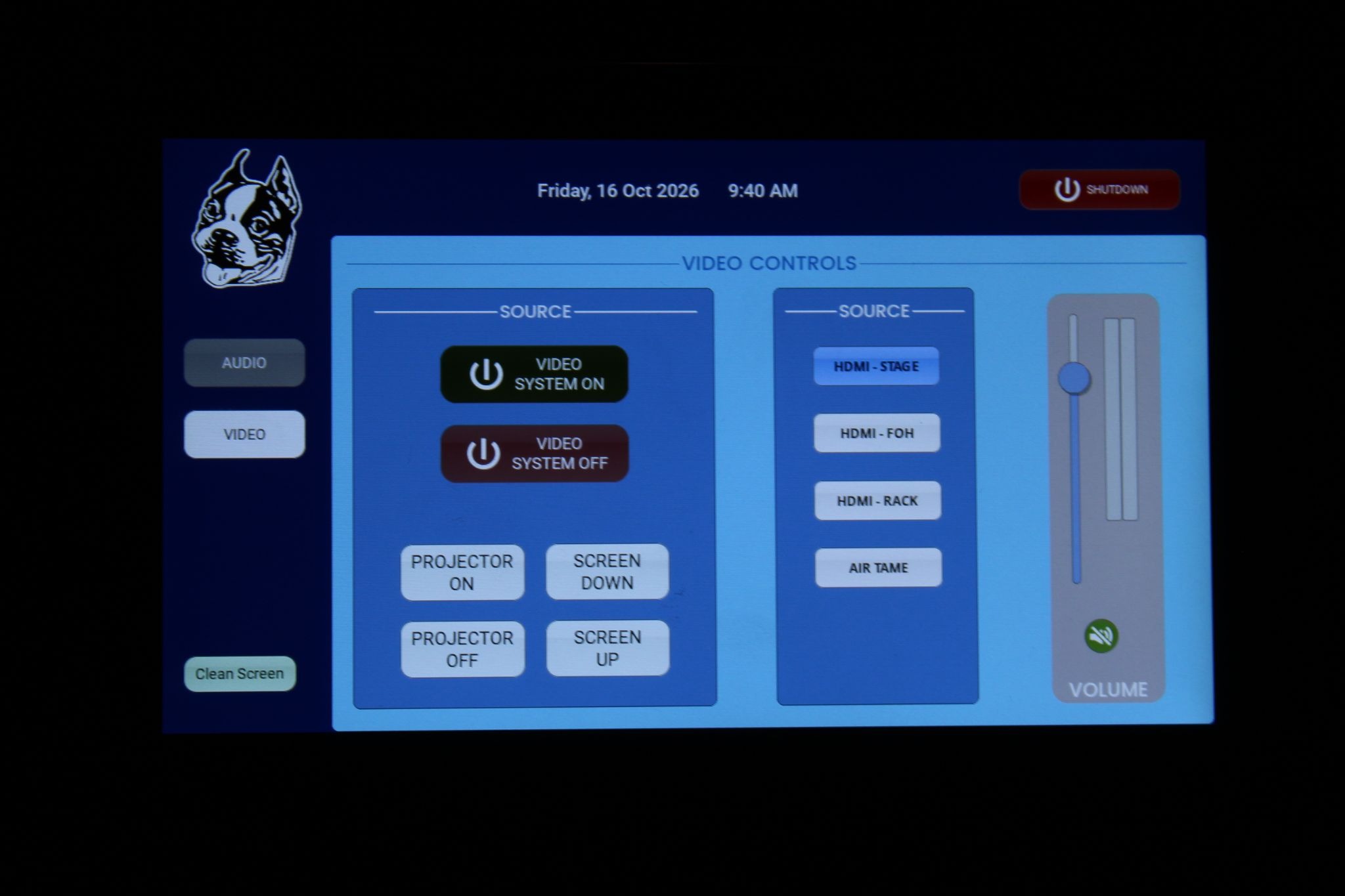
Once everything is powered on, you can lower and raise the screen, power on/off the projector, select video source, and control volume
You should only have to press “VIDEO SYSTEM ON” to both turn on and lower the projector, you should not have to use the individual buttons to control the projector, “VIDEO SYSTEM OFF” in the same vein will power off and raise the projector screen for you
After lowering the screen and turning on the projector, ensure “HDMI STAGE” is selected as the video source, and that volume is unmuted (the mute button will be green if unmuted and red if muted).
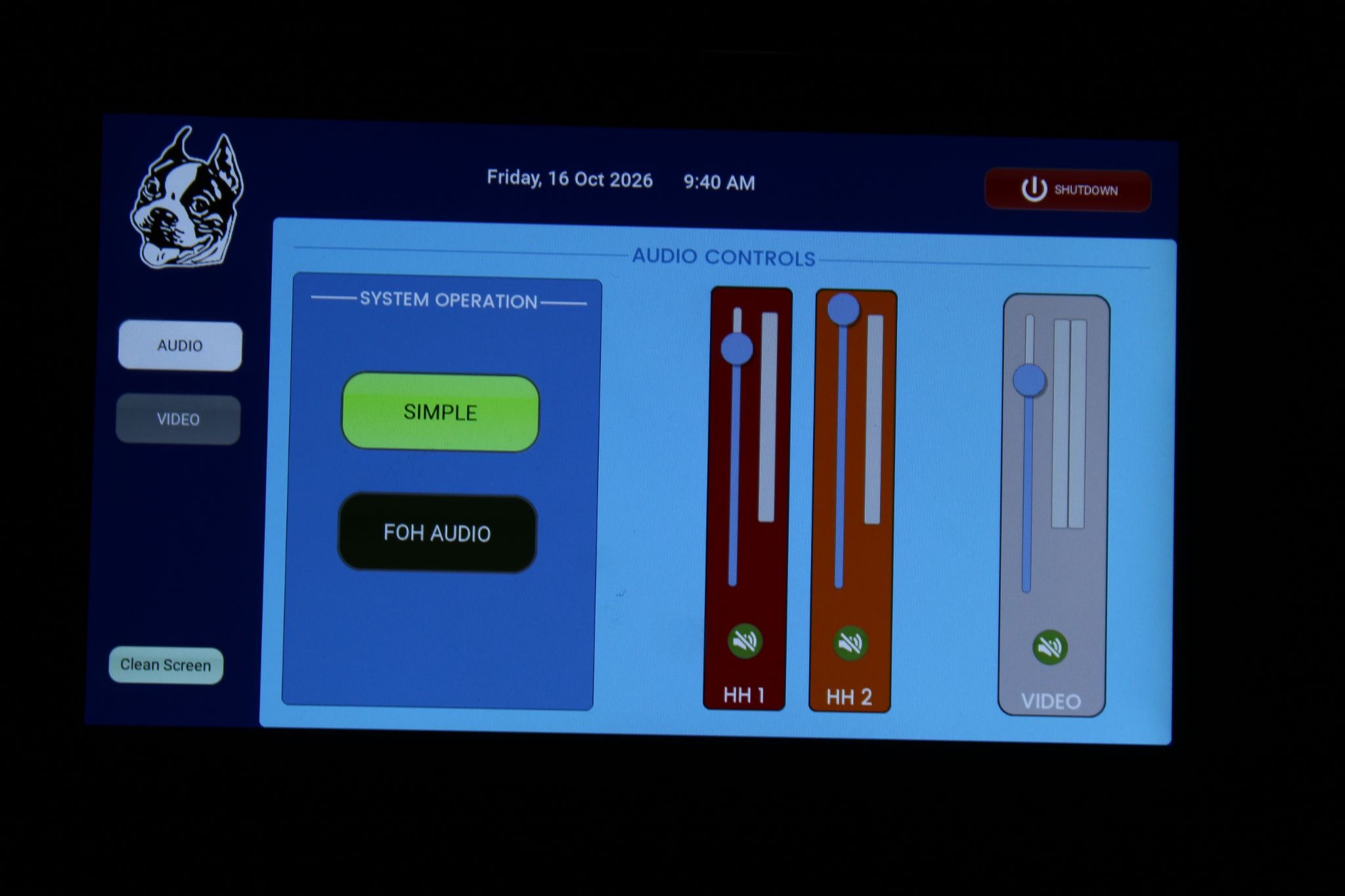
Navigate to the “Audio” section on the display and ensure you are on Simple audio mode
Once everything is powered on and set up, the system will automatically detect and switch to your device once connected by either USB-C or HDMI here:
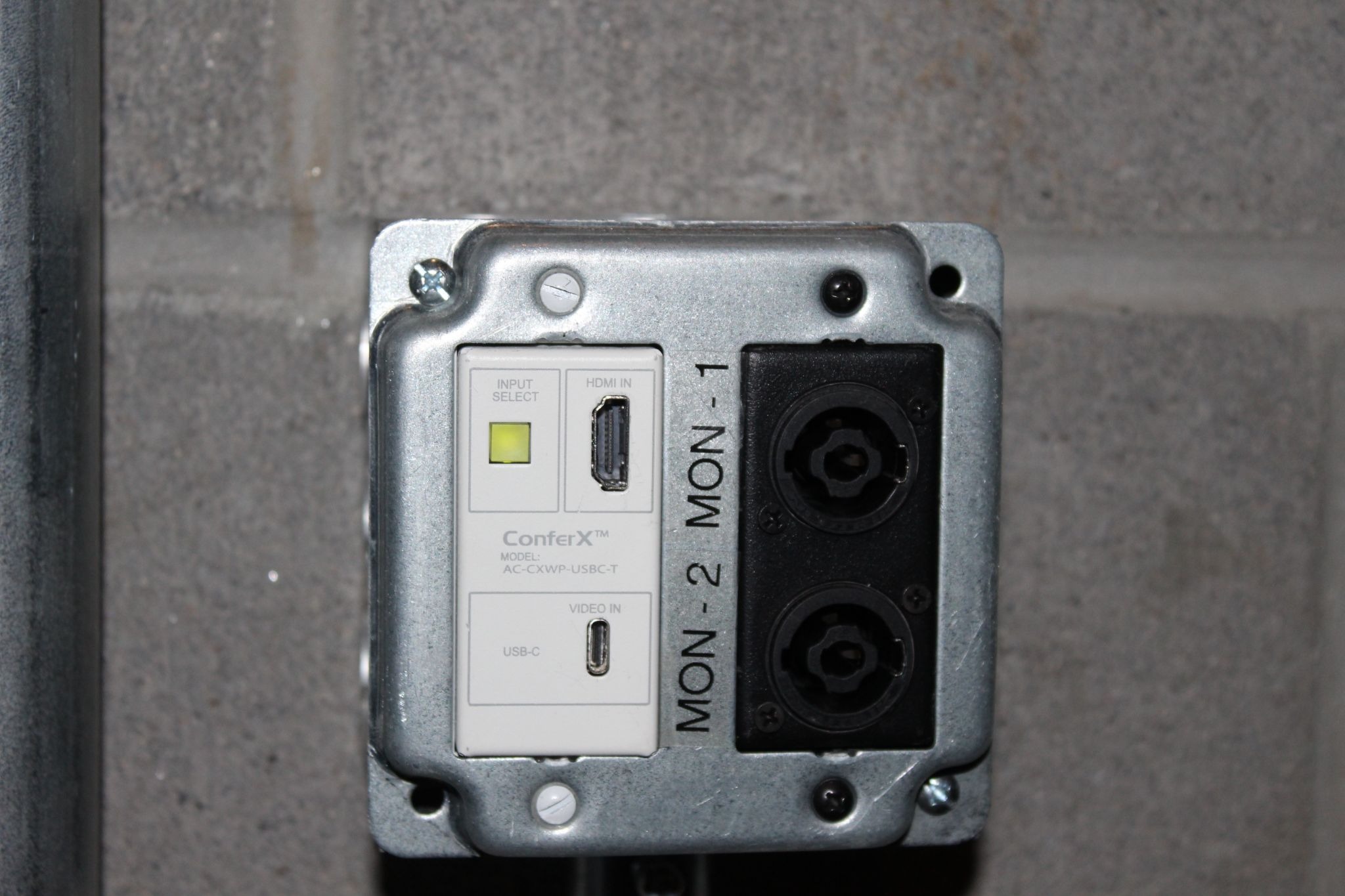
You should not have to touch the “INPUT SELECT” or the nearby physical buttons to raise/lower the screen
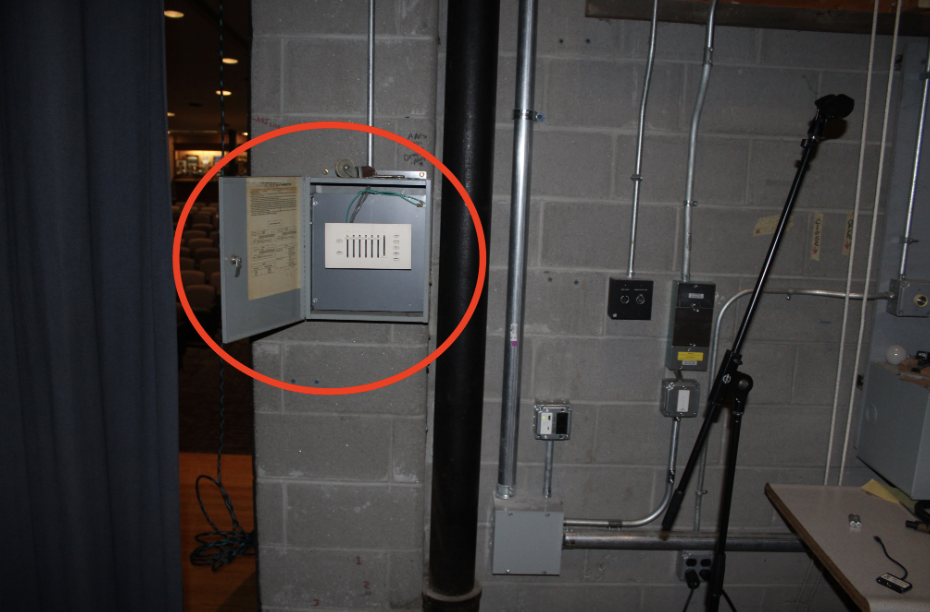
If lighting isn’t configured correctly for the stage that can be controlled with this panel (more detailed instructions for lighting here):
When you’re done you can unplug your device, press “VIDEO SYSTEM OFF”, and after the projector is raised and off, power down the cabinet with the “SHUTDOWN” button in the corner of the display (it will power down as slowly as it turned on)
Was this article helpful?
That’s Great!
Thank you for your feedback
Sorry! We couldn't be helpful
Thank you for your feedback
Feedback sent
We appreciate your effort and will try to fix the article